문제 및 설명
Step 3: Unknown initial value (PW=419482)
Ok, seeing that you've figured out how to find a value using exact value let's move on to the next step.
First things first though. Since you are doing a new scan, you have to click on New Scan first, to start a new scan. (You may think this is straighforward, but you'd be surprised how many people get stuck on that step) I won't be explaining this step again, so keep this in mind.
Now that you've started a new scan, let's continue.
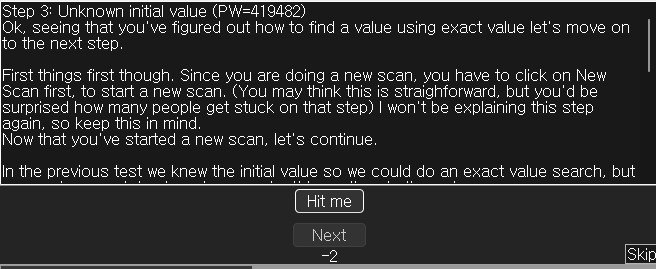
In the previous test we knew the initial value so we could do an exact value search, but now we have a status bar where we don't know the starting value.
We only know that the value is between 0 and 500. And each time you click 'Hit me' you lose some health. The amount you lose each time is shown above the status bar.
Again there are several different ways to find the value. (like doing a decreased value by... scan), but I'll only explain the easiest. "Unknown initial value", and decreased value.
Because you don't know the value it is right now, exact value wont do any good, so choose as scantype 'Unknown initial value', again, the value type is 4-bytes. (Most windows apps use 4-bytes.) Click First scan and wait till it's done.
When it is done click 'Hit me'. You'll lose some of your health. (the amount you lost shows for a few seconds and then disappears, but you don't need that)
Now go to Cheat Engine, and choose 'Decreased Value' and click 'Next Scan'
When that scan is done, click 'Hit me' again, and repeat the above till you only find a few.
We know the value is between 0 and 500, so pick the one that is most likely the address we need, and add it to the list.
Now change the health to 5000, to proceed to the next step.
요약하면
1. 0부터 500 사이의 숨겨진 변수가 있다.
2. 버튼을 누를 때마다 이 변수의 값이 일정 부분 감소하는데 그 변수의 값을 5000으로 만들어라.
이 전 문제에서는 100이라는 초기 값이 있었지만 이번에는 초기값이 없는데 이걸 찾는게 중요한 것 같습니다.
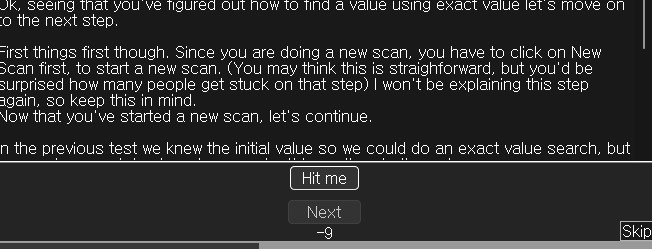
Hit me를 눌러보니 그냥 음수의 숫자가 랜덤으로 나옵니다.
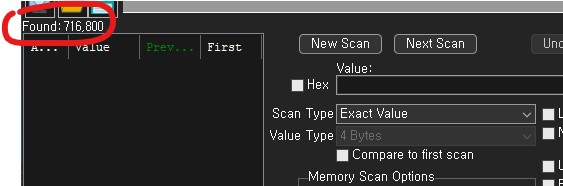
아직 변수 값이 확실하게 뭔지 모르기 때문에 Unknown initial value로 설정해서
메모리에 있는 모든 변수를 스캔했더니 71만개가 나오게 되었습니다.
여기서 변수의 값이 얼마나 줄어드는지 알아내기 위해 Hit me 버튼을 클릭해봅니다.
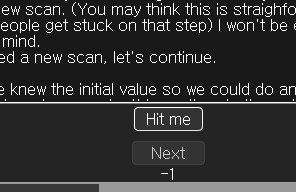
1만큼 줄었습니다.
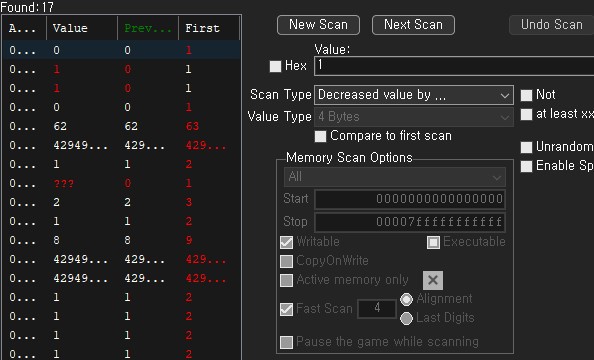
전 글에서는 value의 값을 바꿔가면서 찾아갔지만 이번엔 얼마나 값이 줄었는지를 활용할 것입니다.
1만큼 감소한 변수를 찾기 위해 Decreased value by로 설정하고 1로 설정하고 스캔 합니다.
다시한번 더 해보겠습니다.
이번엔 2감소했네요
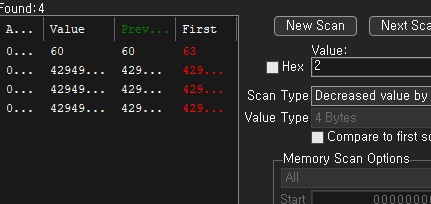
2로 설정해서 다시 스캔했더니 4개가 남았습니다. 이 4개중에 내가 찾던 곳이 있을 것입니다.
하나가 남을 때까지 값을 계속 바꿔봤으나 계속 저 4개만 나옵니다..
하지만 하나의 값만 계속 다르게 나오는게 의심되니까 걔만 값을 한 번 바꿔보겠습니다.

리스트로 불러와서 값을 5000으로 바꿨습니다.
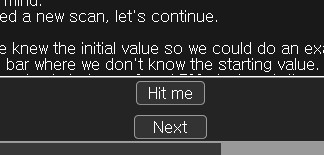
의심이 되었던 부분이 맞았고 값이 5000으로 바뀌니까 Next버튼이 활성화된 것을 확인할 수 있었습니다.
'해킹&보안 > 악성코드 및 치트' 카테고리의 다른 글
| cheat engine (1) | 2024.08.27 |
|---|---|
| Cheat engine (1) | 2024.08.26 |
| cheat engine (1) | 2024.08.25 |
| Reverse Engineering 7 (2) | 2024.05.17 |
| 악성코드 분석 간단 개념 (2) | 2024.05.17 |


